
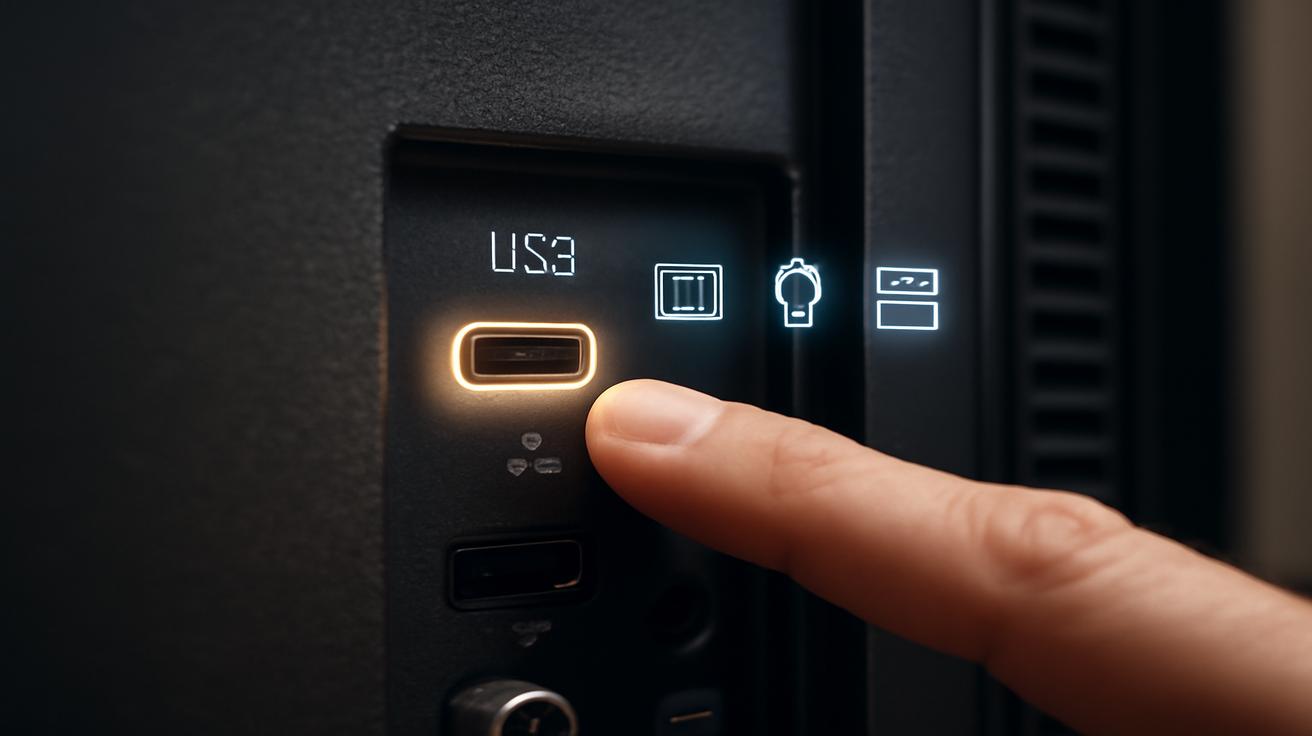
Your TV is glowing quietly in the corner of the room, a familiar rectangle of light that’s seen countless movie nights, gaming marathons, rainy-day documentaries, and background noise while you scroll your phone. You know the power button. You know the HDMI ports. You know the volume rocker on the remote that somehow, no matter how careful you are, always disappears between the couch cushions. But there’s one little thing on the back or side of that screen you probably hardly notice—a slim, lonely USB port that, at first glance, seems like a design afterthought. It isn’t. In fact, that tiny port is hiding several clever tricks that can quietly make your TV smarter, your living room tidier, and your everyday routines a little smoother.
The Overlooked Port on the Back of Your TV
At some point, you’ve probably brushed your fingers along the plastic edge of your TV while reaching for an HDMI cable and felt it: a small rectangle marked “USB.” Maybe you’ve plugged in a USB drive once, maybe not at all. For many people, that’s where the story ends. The TV’s USB port is often treated as a spare, a “just in case” feature you never quite get around to using.
The irony is that, much like the forgotten junk drawer in your kitchen that turns out to be holding something genuinely useful, that tiny port is surprisingly capable. It’s sitting there with a handful of superpowers: it can power devices; it can read files; it can automate your viewing setup; it can even act like a quiet but efficient electrician behind the scenes.
To really appreciate it, imagine your TV not as a flat piece of furniture, but as the central nervous system of your digital living room. Cables snake out to consoles, speakers, sticks, boxes, and dongles. Somewhere in that web, the USB port is the quiet organizer, the minimalistic multitool. Once you start using it intentionally, it’s hard to go back to ignoring it.
1. Turn Your TV into a Simple Media Center
Picture this: it’s late, the lights are low, and someone says, “Remember that old vacation video?” Usually, that sentence leads to a clumsy scramble—laptops, cables, mirroring, passwords, a minor wrestling match with your streaming apps. But your TV’s USB port can turn that moment into something simple and almost nostalgic: plug in a drive, scroll, play.
Many modern TVs can read photos, music, and videos directly from a USB stick or external hard drive. It’s like having a tiny media center built right into the screen, with no extra box required. All you need is a USB drive and a bit of organizing.
There’s a certain physical pleasure to it, too: the gentle click as the USB stick slides into place, the soft glow of the TV recognizing a new device, the casual flip through old photos with the remote. It feels less like launching an app and more like opening an old album—only now it’s on a screen measured in feet instead of inches.
Making Your Files “TV-Friendly”
Before you rush to copy your entire digital life onto a thumb drive, it helps to understand your TV’s preferences. Not every TV supports every format, so think of it as a picky eater with a small but reliable menu. Most sets will handle common formats like MP4 for videos, JPEG or PNG for photos, and MP3 for music. Some also support MKV or other containers; others are stricter.
Take a moment to group your content into simple folders—“Movies,” “Family Photos,” “Music,” “Vacations 2023.” The experience of browsing from your couch feels smoother when everything’s laid out logically. Many TVs show folder names as basic lists: clear naming makes a surprising difference when you’re several layers deep looking for that one clip of your dog running into a wave.
And there’s another, underrated joy: offline viewing. You can watch your own videos or flip through photos without needing an internet connection, without buffering, without logging into anything. It’s just you, the remote, and whatever memories you’ve carried over on that little stick of plastic and metal.
2. Use Your TV’s USB Port as a Hidden Power Outlet
The back of your TV probably looks like a tiny, chaotic city of plugs: a streaming stick here, a game console there, a soundbar, maybe a small device you barely remember buying. Now imagine simplifying that by turning your TV’s USB port into a quiet power station for some of those gadgets.
Many TVs supply power through the USB port—typically 5V, often around 0.5A to 1A, sometimes more on newer models. That’s enough to quietly run smaller media devices and accessories. One of the smartest, most satisfying uses is to power a streaming stick, like a media dongle, directly from the TV’s USB port instead of plugging it into the wall.
Why does that matter? Because when the TV turns off, the USB power often goes off, too. Your device sleeps when your TV sleeps. No more glowing LEDs in the dark at 2 a.m., no more gadget quietly sipping electricity while you’re out of the house. It’s neat, it’s tidy, and it feels just a little bit like your living room has learned some manners.
What You Can Safely Power (and What You Shouldn’t)
Picture a small constellation of low-power gadgets that could hitch a ride on that USB port: streaming sticks, LED bias lighting on the back of your TV, small HDMI switchers, even some TV antennas with built-in amplifiers that are designed to draw power from USB. They don’t all need a big plug or bulky adapter; many of them are perfectly happy sipping power from your TV’s USB.
But there are limits. External hard drives that spin up mechanically, for instance, can be power-hungry and might behave erratically if the TV’s USB output is weak. High-performance devices, heavy-duty hubs, or anything that specifies a higher power draw should stick with their own dedicated adapters. If a device keeps disconnecting or acting strangely when powered by the TV, that’s your signal: move it back to the wall outlet.
Still, when it works, it feels wonderfully streamlined. Fewer plugs. Fewer bricks on the floor. One switch that shuts the show down for the night—not just the screen, but the small ecosystem humming around it.
3. Add Subtle, Cinematic Ambience with USB-Powered Lights
There’s a quiet magic to a darkened room glowing not just from the TV itself, but from a soft halo of light behind it. Your eyes relax. The sharp contrast between bright screen and dark wall softens. The mood shifts from “watching something” to “settling into an experience.” That effect, often called bias lighting, is one of the most delightful ways to use your TV’s USB port.
USB-powered LED light strips are designed for exactly this. They snake around the back of your TV, hidden from direct view, and spill a gentle glow against the wall. Plug them into the TV’s USB port, and they turn on with your TV, switch off when you’re done. No extra remote, no app required—just light that feels like it belongs.
In a dark room, that background glow can even reduce eye strain. Instead of staring into a stark pool of light floating in a black void, your eyes get a softly lit frame around the screen. Games feel more immersive, movies more dramatic, even a simple nature show takes on a slightly cinematic edge when the wall behind the image hums with matching color.
Small Details, Big Difference
The first time you use bias lighting, the effect can be subtle—almost too subtle to notice. But then you turn it off, and the room suddenly feels much harsher, the TV more like a glowing rectangle and less like a window. Many people find that once they settle into the routine of simply turning on the TV and watching both screen and light wake together, they never want to go back.
Some LED strips offer color-changing options, others stay a comforting warm white. Either way, the USB port is the quiet star of the show: no one sees it; no one talks about it; but it’s the reason your tiny strip of LEDs seems to know exactly when you’ve settled in for the night.
4. Quiet Automation: Recording, Updates, and Smart Little Tricks
Beyond power and playback, that USB port also acts like a tiny, practical assistant for your TV’s brain. It can handle recordings, store settings, and even help your TV stay up to date. It doesn’t ask for attention, but when you start using it, you begin to notice how much smoother things feel.
Some TVs allow you to plug in a USB drive and use it as storage for recording live broadcasts. Suddenly, your TV can become a basic DVR, letting you pause, rewind, and schedule recordings. The experience isn’t always as slick as a dedicated set-top box, but there’s something satisfying about knowing the feature is just there, waiting for a simple USB stick to wake it up.
And then there are firmware updates. In some cases, especially with older or offline sets, you can download an update to a computer, copy it to a USB drive, and plug it into your TV to upgrade its software. It’s not glamorous—you’re not going to gather the family around to witness the progress bar—but it keeps your TV running more smoothly, fixes glitches, and occasionally unlocks small new features.
Your TV’s Portable Memory
That same drive can even carry settings between certain models from the same brand. Picture calibrating one TV—tweaking brightness, contrast, color temperature—until movies feel rich but not overblown, skin tones look natural, and dark scenes finally make sense. Some manufacturers let you export that calibration profile to a USB stick and import it into another TV. It’s like carrying your ideal “look” in your pocket.
The USB port can also help with small utilities: exporting or importing channel lists, backing up preferences, or enabling extra codecs or plugins where supported. On paper, those might sound dry, almost technical. But in practice, they’re what turn a TV from a generic panel into a well-behaved part of your home—one that remembers what you like, how you watch, and how your devices fit together.
A Quick Glance: 4 Smart Uses for Your TV’s USB Port
Here’s a compact view of how that little rectangle on the back of your TV quietly pulls its weight:
| Use | What It Does | What You Need |
|---|---|---|
| Media Playback | Watch videos, view photos, or play music directly from storage. | USB stick or external drive with supported file formats. |
| Power for Devices | Run streaming sticks, small accessories, or antenna amplifiers. | USB cable compatible with your device; check power limits. |
| Bias Lighting | Add subtle backlighting that turns on and off with the TV. | USB-powered LED light strip for the back of your TV. |
| Recording & Updates | Record broadcasts, store settings, update firmware where supported. | USB drive, and TV features that support recording or updates. |
Why This Tiny Port Feels Strangely Human
There’s something almost endearing about finally using a feature that’s been sitting in your home for years, quietly waiting. That USB port has been there through every new show, every new streaming trend, every game you’ve started and never finished. It’s part of the furniture, part of the background hum of your evenings. But it’s also a reminder of how much capability we often leave unused, not just in our devices, but in our spaces.
Once you plug something into it—an LED strip, a streaming stick, a thumb drive crowded with family photos—you change the way the room feels. Movie night gains a halo. Old memories leap from dusty folders to a shared, glowing canvas. That one spare outlet you were always missing suddenly doesn’t matter as much, because the TV itself is quietly pulling its weight.
You don’t have to reinvent your whole setup. You don’t need to become the kind of person who reads every spec sheet or debates audio formats on forums. All it takes is noticing that small port, the way you might finally open a drawer you’ve ignored for years and realize it’s the perfect place for something you’ve been tripping over this whole time.
Next time you’re behind the TV, pressing an HDMI cable into place or dusting off the stand, let your fingers find that narrow slot again. Now you know it isn’t just decoration. It’s a tiny doorway—into simpler movie nights, cleaner setups, softer lighting, and a TV that feels just a little bit more alive.
FAQ
Can I charge my phone from my TV’s USB port?
Often you can, but it’s usually slower than using a wall charger. The port is designed primarily for low-power devices and storage rather than fast charging, so it’s useful in a pinch, but not ideal for everyday charging.
Why doesn’t my TV recognize my USB drive?
Your TV might not support the drive’s file system (for example, it may prefer FAT32 or exFAT over NTFS), or the files may be in formats the TV can’t read. Check your TV’s manual for supported formats and consider reformatting the drive after backing up your data.
Is it safe to leave a USB stick plugged into my TV all the time?
Generally, yes. Many people leave drives connected permanently for media libraries or recording. Just avoid unplugging the drive while the TV is actively reading or writing data to reduce the risk of corruption.
Can I use any LED strip with my TV’s USB port?
You can use LED strips that are specifically designed to be USB-powered and fall within the port’s power limits. High-power or very long strips may require their own dedicated adapter instead of relying on the TV.
Does using the USB port affect picture quality or performance?
In normal use, no. Playing media from USB or powering small accessories doesn’t usually impact picture quality. If a connected device is unstable or draws too much power, you might see glitches or disconnections, in which case it’s best to move that device to a separate power source.








Leave a Comment