
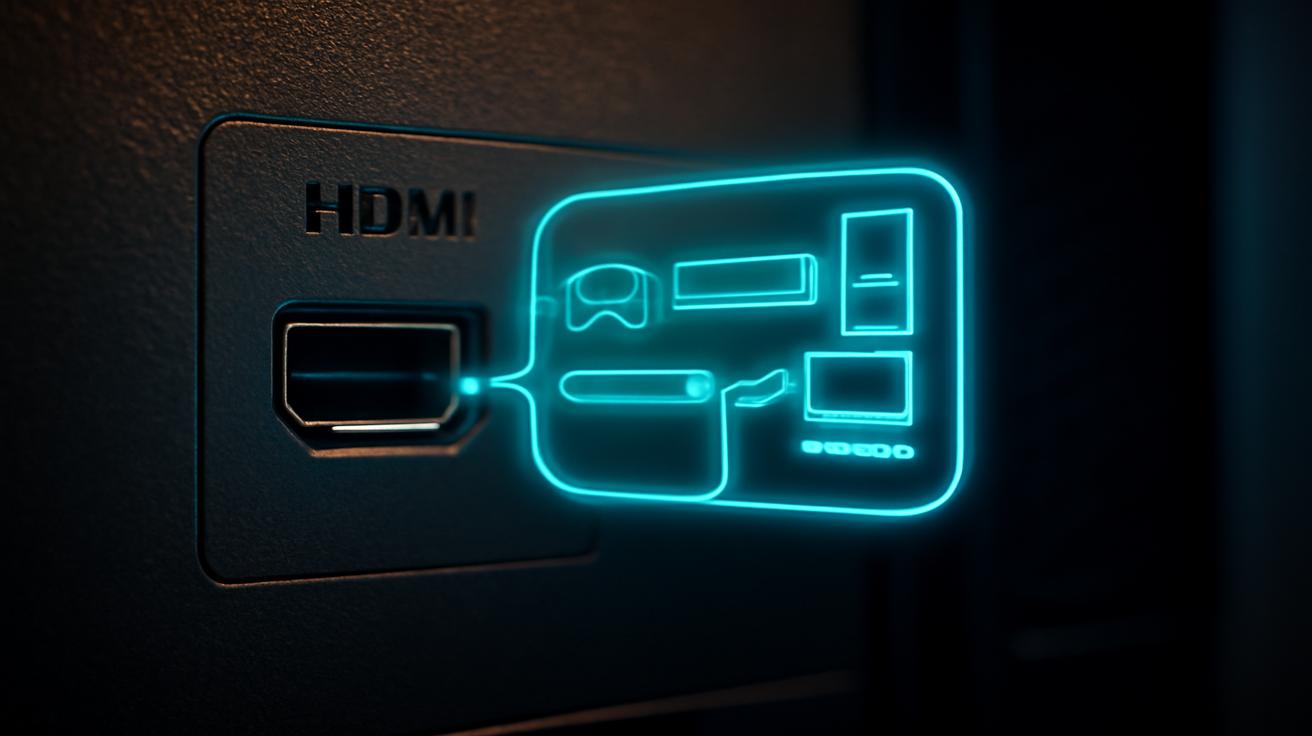
The dust behind your television tells a quiet story. It’s a place of forgotten cables, lost remote backs, and that one battery that somehow rolled just out of reach. But if you lean in close, push aside the tangle of wires and trail your fingers along the cool plastic, you’ll find it: a small, unassuming port that looks like a tiny doorway to somewhere else. You might never have noticed it. You might have seen it and shrugged. Yet that tiny port on the back of your TV can do far more than you think—and once you understand it, you may never look at your living room the same way again.
The Moment You Notice the Tiny Port
Maybe you spotted it while you were plugging in a new streaming stick, or wrestling with an HDMI cable late at night. A slim, rectangular slot, marked with a simple label: “USB.” The same kind of port you see on laptops, game consoles, and phone chargers. A small thing, easy to overlook. But your TV’s USB port is a quiet multitool hiding in plain sight.
The first time you decide to experiment, it’s probably with the most obvious idea: What happens if I plug in a flash drive? You slide the USB stick into the port, and the TV responds with a soft chime or a subtle message on the screen. Suddenly, a menu appears: “Media Player.” That’s when it clicks. This isn’t just a power outlet for little gadgets; it’s a bridge for pictures, music, films—pieces of your life, waiting to light up the screen.
The living room changes without you rearranging the furniture. Your TV stops feeling like a one-way billboard for whatever the world wants you to watch and starts to feel more like a canvas. That tiny port becomes a way of saying, “You can bring your own stories here too.”
More Than Just a Charging Slot
We live in a world where almost every glowing gadget has a USB port, and many of them share one basic job: charging. So it’s no surprise that a lot of people see the USB on the back of their TV and think, Oh, a convenient place to charge my phone. And yes, it often is. The port usually delivers enough power to top up a remote, a streaming stick, or a wireless headphone receiver. Sometimes it’s enough for a phone. Sometimes it’s not. Sometimes it turns off when the TV goes dark, behaving more like a light switch than a wall socket.
But if you stop at “charging port,” you’re leaving an entire hidden world of possibility untouched. Because while the USB on your TV might not be as powerful as the brick charger that came with your phone, it has other talents. It can wake up smart accessories only when your TV is on, it can quietly power ambient lights that echo the colors of the screen, and it can even act as a simple on/off controller for some of your other gear.
There’s a small thrill in discovering that your TV can become a kind of conductor for your devices, not just a screen. Plug something into that USB port and press the power button on the remote. The TV wakes up, and so do the things tethered to it: a light strip that spills soft color onto the wall, a tiny media player that whirs to life, a soundbar adapter that finally gets the hint. Suddenly the act of watching something feels more intentional, more immersive—less like turning on a machine and more like starting a little performance.
Turning Your TV into a Storytelling Frame
The first revelation usually comes when you discover that your TV doesn’t care where its pictures come from, as long as they arrive in the right format. A USB drive loaded with vacation photos, a folder of home videos, or a carefully curated library of old family films can transform your screen from a passive entertainment portal into a living photo frame.
Picture this: a cold evening, lights low, the quiet hum of the TV. You plug in a USB stick that’s been collecting dust at the back of a drawer. On it are photos you haven’t looked at in years—faces that have changed, houses that have been moved out of, places you might never visit again. The TV recognizes the drive, offers a media gallery, and suddenly your living room is a moving, luminous scrapbook.
With a few settings adjusted, those photos can slowly cycle like a screensaver, drifting from one memory to the next while music plays softly in the background. The TV becomes less of a distraction and more of a presence, a kind of shared family album that everyone can wander into as they pass through the room.
Many TVs also handle music files from USB drives. It’s not a fancy streaming service. It won’t recommend songs or flash algorithmically tuned playlists at you. Instead, it feels quieter, more deliberate. You choose what you’ve brought. You navigate your own folders. You decide which tracks belong in this particular evening. There’s something grounding in that.
What That Tiny Port Can Actually Do
Not every TV is built the same, but for many modern sets, the USB port can unlock a surprising range of abilities. Think of it as a flexible little gateway rather than a one-trick plug. Here are some of the most common things it can handle:
| USB Port Use | What It Lets Your TV Do |
|---|---|
| Play media from USB storage | View photos, watch videos, and listen to music directly from a flash drive or external hard drive. |
| Power accessories | Run LED light strips, streaming sticks, wireless receivers, or small hubs without a separate power brick. |
| Record broadcasts (on some TVs) | Save live TV to a compatible USB drive to pause, rewind, or watch later, turning the TV into a simple DVR. |
| Update firmware | Install new software from a USB stick if the TV doesn’t update reliably over the internet. |
| Service and diagnostics | Allow technicians or advanced users to run tests, logs, or deep settings (often through hidden menus). |
Some TVs go even further—supporting USB keyboards for easier typing, accepting a webcam for built-in video calls (on a few specialized models), or allowing you to connect a USB hub so more than one device can share a single port. But even if your TV is more modest, the basic set of skills can dramatically shift how you interact with it.
Turning Broadcasts into a Personal Library
There’s a particular kind of magic in pausing live television. The moment is mid-sentence, the newscaster’s hand frozen mid-gesture, the game-winner’s shot suspended at the peak of its arc. For a second, time obeys your remote. For some TVs with a functional USB recording feature, that tiny port is what makes this power possible.
In certain regions and on certain models, plugging a compatible USB hard drive into your TV unlocks “PVR” or “USB recording” mode. The TV formats the drive in its own language and uses it to store live broadcasts. Press record, and the show you’re watching isn’t just flickering through the airwaves—it’s being saved, quietly, onto this small piece of spinning metal or solid-state memory on your shelf.
You might record a documentary airing at an inconvenient hour, a championship game you know you’ll want to rewatch, or a quiet late-night film you’re too tired to finish. Later, the recordings line up inside a menu like a makeshift video library. Not everything can be recorded (regional laws, encrypted channels, and broadcast rules all shape what’s allowed), and often those recordings are locked to that one TV, but the experience is still strangely liberating. The television broadcast schedule stops feeling like a strict timetable and starts feeling more like a suggestion.
On some evenings, the USB recording feature becomes less about control and more about reassurance. You don’t have to choose between staying up too late and missing something meaningful. You click record, turn off the TV, and let that little port quietly work while you sleep.
Power, Timing, and Clever Little Hacks
Even when you’re not asking it to handle media or record shows, the USB port can quietly coordinate your setup. One of its simplest but most satisfying tricks is behaving like a little power switch for accessories.
Imagine you’ve added a strip of bias lighting behind your TV—a soft band of white or colored glow that cuts eye strain and makes the picture pop. If you plug it into the wall, it’s one more thing to remember to turn off. But if you plug it into the TV’s USB port, it comes to life only when the screen does. When you press the power button on your remote, there’s a feeling of the room responding in layers: the black screen flickers awake, the colors stretch across the wall, and it all feels like one choreographed motion.
The same goes for some streaming sticks that can be powered from USB. Plugged into the TV, they rest when the TV rests. No tiny glowing LED haunting your living room in the middle of the night. No extra cable dangling from yet another wall socket. Just a quiet arrangement where the TV becomes the heart, and everything else pulses along with it.
When the Port Becomes a Lifeline
Most of the time, you’ll ignore the USB port until you need it. But there are moments when it becomes the quiet hero of your setup—particularly when things go wrong. Maybe your TV won’t update its software over Wi‑Fi, or perhaps your model is older and never supported over-the-air updates in the first place. Manufacturers often provide downloadable firmware files that can be copied onto a USB drive and then installed through the TV’s menu.
It’s not glamorous. There are no dramatic visuals, no cinematic sound effects. Just a progress bar creeping across the screen while you wait for the TV to teach itself new tricks—fixing bugs, improving performance, or occasionally adding a feature you didn’t have before. But behind that simplicity sits a powerful idea: the TV you bought is not a static, finished object. Through that tiny port, it can keep changing, adapting, and—up to a point—staying younger than its age might suggest.
Technicians, too, sometimes approach that USB port with memory sticks full of invisible tools—diagnostic logs, test patterns, service menus. To an untrained eye, it looks like they’re just plugging in a random drive. But for them, that port is a kind of keyhole into the TV’s deeper layers, a way to peek behind the friendly interface and into the circuitry and software that make your picture appear.
The Quiet Rules of the USB World
Of course, not all USB ports are created equal, and not all expectations are fair. Plug in a huge external hard drive loaded with ultra-high-bitrate 4K video, and an older TV might stutter and give up. Ask a weak USB port to power a hungry gadget, and it might fall short. Some TVs are picky about the type of file systems they’ll read (often preferring FAT32 or exFAT), and many don’t recognize every exotic video format you throw at them.
The port’s behavior when the TV is off can also vary. Some keep power flowing so devices stay on standby. Others cut power completely the moment the screen goes dark. If you expect it to behave like a wall outlet, these quirks can be frustrating. But once you understand its rhythms, they become tools you can use.
Want a device to turn on and off with the TV? Use a port that cuts power on shutdown. Want something always ready, even when the TV is sleeping? Look for a setting in the menu that leaves USB powered, or plug into a port that’s labeled for constant power, if your TV offers one. The more you pay attention, the more the quirks start to feel like options instead of limitations.
Reimagining the TV in the Age of Screens Everywhere
We’re surrounded by displays now: phones glowing in our palms, tablets on coffee tables, laptops gently humming on kitchen counters. In all this, the TV can sometimes feel old-fashioned—a big rectangle of light stuck to the wall, waiting for you to feed it content from somewhere else. But that tiny USB port on the back tells a different story.
It hints that the TV still wants to be more than just a window to streaming services and cable boxes. It wants to hold your photos, your offline playlists, your locally saved films. It wants to help you bridge the old world of broadcast channels with the new world of digital files. It wants to quietly coordinate your little ecosystem of devices and accessories, turning an ordinary viewing session into a sensory scene of sound, light, and memory.
The magic isn’t in the shape of the port itself, of course. It’s in what you choose to ask of it. You can leave it alone, let it sit there like a tiny, unused door in the back of a house. Or you can plug in a drive, a light, a stick, a cable—and watch how this small, overlooked detail begins to change the way you experience your space.
Next time you’re behind the TV, brushing aside cobwebs and forgotten cables, pause for a moment. Run your fingers along the edge of that little port. Think about the family photos hidden away on old drives, the shows you always miss live, the gadgets that could wake and sleep with your screen. In a world obsessed with new devices and ever-thinner displays, sometimes the most surprising upgrade is already there, waiting in the dust and quiet, no bigger than the tip of your finger.
Frequently Asked Questions
Can I safely charge my phone from the USB port on my TV?
Usually, yes—but it may be slow. TV USB ports often provide less power than dedicated phone chargers, and some stop providing power when the TV turns off. It’s safe in most cases, but not always practical as your main charging source.
Why won’t my TV read files from my USB drive?
Common reasons include an unsupported file system (many TVs prefer FAT32 or exFAT), incompatible video or audio formats, or a drive that’s too large or not properly powered. Checking your TV’s manual for supported formats and reformatting the drive (after backing up your data) often solves the problem.
Can I record live TV to a USB drive on any television?
No. USB recording is only available on specific models and in certain regions. The TV must support PVR or “USB recording” features, and it usually requires a compatible USB hard drive. Even then, recordings are often encrypted and can only be played back on that same TV.
Is it okay to power LED light strips from my TV’s USB port?
Yes, as long as the light strip’s power requirements match what the port can provide. Many low-power bias lighting strips are designed for this use and work well, turning on and off with the TV. Very bright or long strips may need a separate power supply.
What should I use the USB port on my TV for if I’m not very technical?
Simple uses are often the most rewarding: plug in a flash drive with photos to create a big-screen slideshow, use it to power a small bias light behind the TV, or load music files for background listening. You don’t need to be technical—just curious enough to plug something in and explore the on-screen menus.







Leave a Comment